UK Criminal court case management system
'Common Platform' is the mandated case management system in criminal courts in the UK. This work was about the redesign of the system's hearing allocation module in order to address user pain points that were frustrating and slowing down caseworkers. The redesign simplifies the whole process of allocating courtrooms and judges to hearings, leading to quicker processing of criminal cases by caseworkers in criminal courts in the UK.

Time
2023-2024
User base
Over 90% of criminal courts in the UK, managing >2.3 million cases

The 'Allocate hearings' module of Common Platform being used by a case worker
Background
Common Platform has been rolled out gradually since 2020 with over 90% adoption in Crown Courts and Magistrates Courts. Crown courts however were only slowly rolling out the software for case management, as the user interface didn't work well with their internal processes of allocating judges and courtrooms to hearings. Caseworkers needed to manually navigate through many screens to allocate a hearing, which was perceived as inefficient. These allocation screens also didn't contain all information and functions that were needed, forcing users to manually look up missing information for each case and develop workarounds for missing features. The internal design team at HM Courts and tribunals service have been tasked to redesign a solution that targets these pain points in order to enable users to allocate more quickly and reach 100% adoption in courts.
Challenges
I was required to use the gov.uk design system, even though it has been developed for simple public facing interactions like forms rather than professional case working tools. It prioritizes discoverability and learnability over long term efficiency of use by professionals, and the components are very space-demanding, which can be challenging when a lot of data needs to be displayed. This is why I modified gov.uk components (e.g. reducing font size and spacing) to extend their functionality (e.g. making a table expandable). I was also using components from design systems of other government organizations and departments that met the GDS standard.
Understanding workflows required a lot of subject matter expertise that was hard to acquire as caseworkers were very busy with their day jobs.
Very tight deadlines meant that agile UCD cycles had to be accelerated and user testing rounds were limited, requiring the team to use heuristic evaluation methods and subject matter expert feedback in addition to user research
Design process
1
Initial contextual inquiry: Site visits with observations of case workers using the current allocation user interface in order to understand pain points
2
Feedack rounds with subject matter experts
3
Design ideation using methods like the Crazy 8 group sketching method, parallel prototyping of multiple alternatives targeting the user pain points
4
Usability testing: Using multiple alternative interactive coded prototypes
5
Create an updated design concept based on usability testing results
6
Further feedback rounds with subject matter experts leading to minor adjustments of the design
7
Development and release of feature
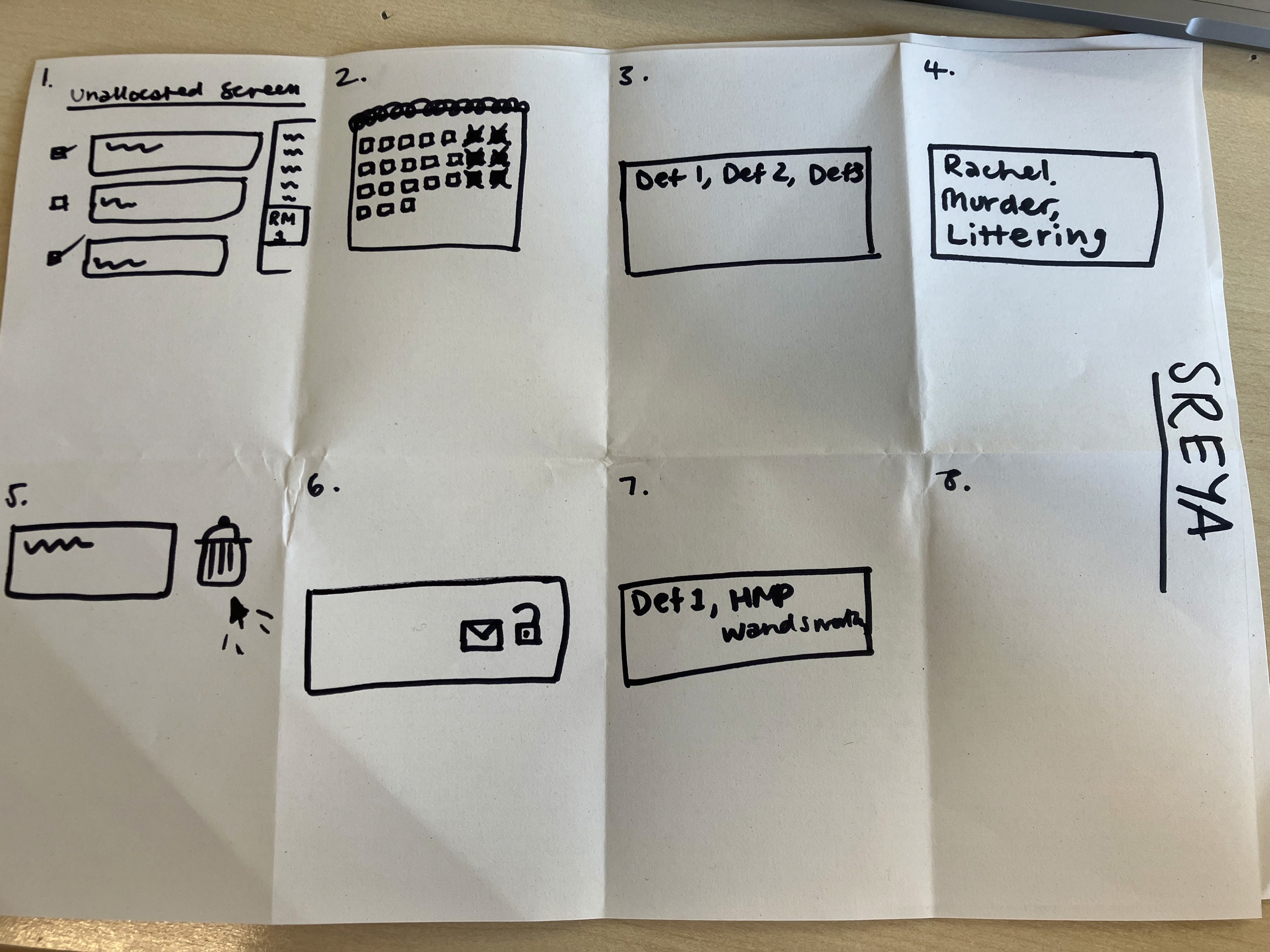

Sketches of a participant of the 'Crazy 8' ideation workshop showing ideas of UIs to solve user pain points.
Result
The following UIs were the final result of several rounds of user research and subject matter expert evaluations.
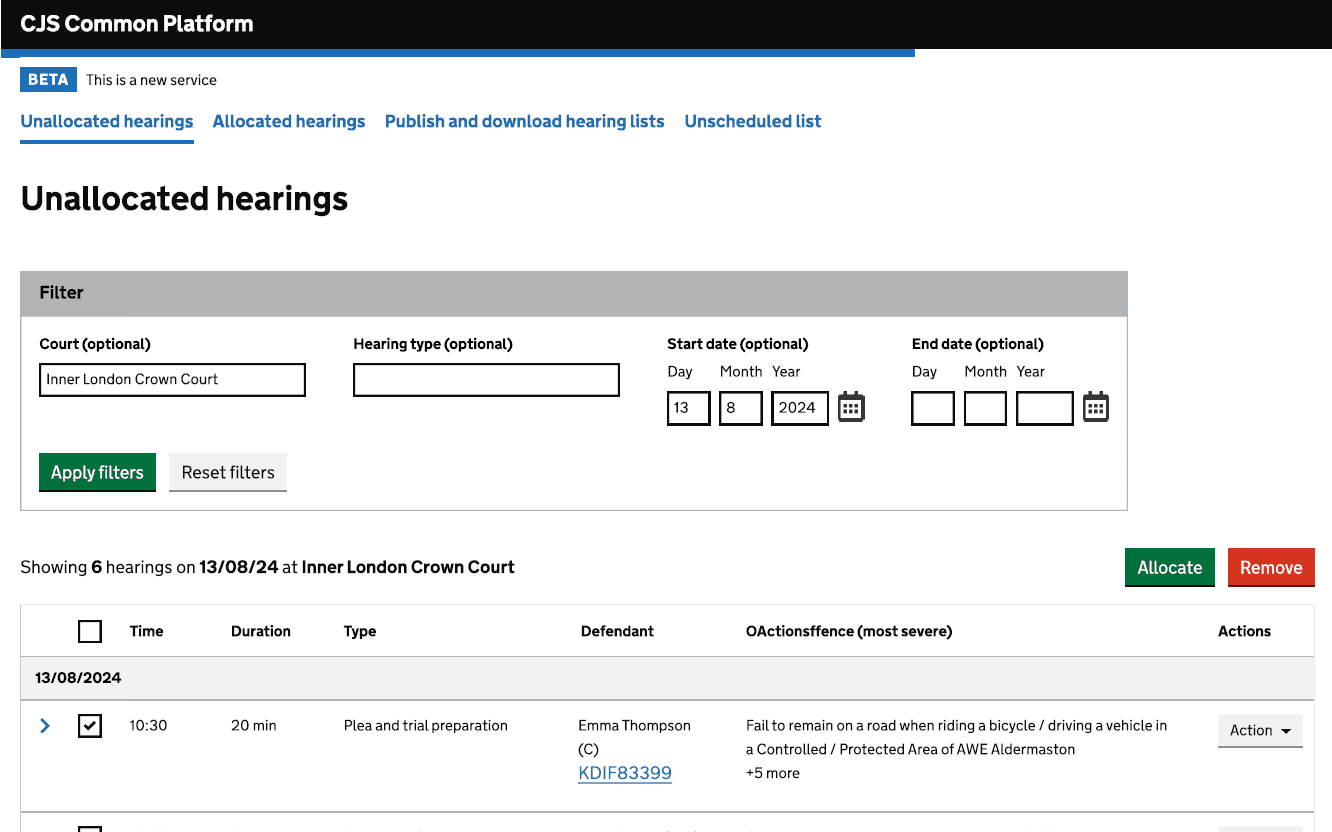
Before and after: Unallocated hearings screen

Before
Users struggled not being able to see case notes and case tags in the unallocated screen. They need to navigate to a separate case overview page to see them. Case notes are important though in deciding which hearing to allocate next.
Users mentioned that needing to allocate each case separately is tedious and time consuming and wanted to be able to allocate multiple cases at once

After
Introducing expandable table rows with additional information that can be important for selecting a case to allocate
Introducing a clearer visual hierarchy and visual grouping to reduce cognitive load
Reducing the number of columns by removing an irrelevant one and using hearing date as a section header
Add option to select multiple unallocated hearings at once to split, edit or allocate
Before and after: Allocation screen

Before
Users had difficulties allocating as they couldn't see other unallocated hearings. However, especially Crown Courts would sometimes allocate 'backwards' and fill up a space in a courtroom with a suitable unallocated hearing, which would require them to move back and forth between screens constantly
Users found it tedious having to select the court three times in the allocation journey, even though they are not changing the court during allocation
The user requirement of being able to allocate to a specific position in the allocated hearing list (hearing order in courtroom) is not met
Users struggled with missing information on this screen that is needed to decide how to allocate the case, like case notes, custody status and case markers

After
Users can now see unallocated and allocated hearings side by side, allowing them to 'fill' empty courtrooms with suitable hearings, not having to switch back and forth between screens saves time and reduces cognitive load
Users can now see case notes, case markers, custody status and other important hearing information when expanding an unallocated hearing without having to switch to a different screen, they can collapse hearings to keep an overview
Users can now allocate to a specific position in the list which determines the order of hearings in a courtroom
Court and hearing date now get prepopulated with court and hearing date from unallocated hearings